Here is a tutorial how to create a Private Discussion on this group! Private Discussions are our equivalent to DM’s - nobody can view your private discussions with anyone else, and you can add in multiple people to the same discussion if you want.
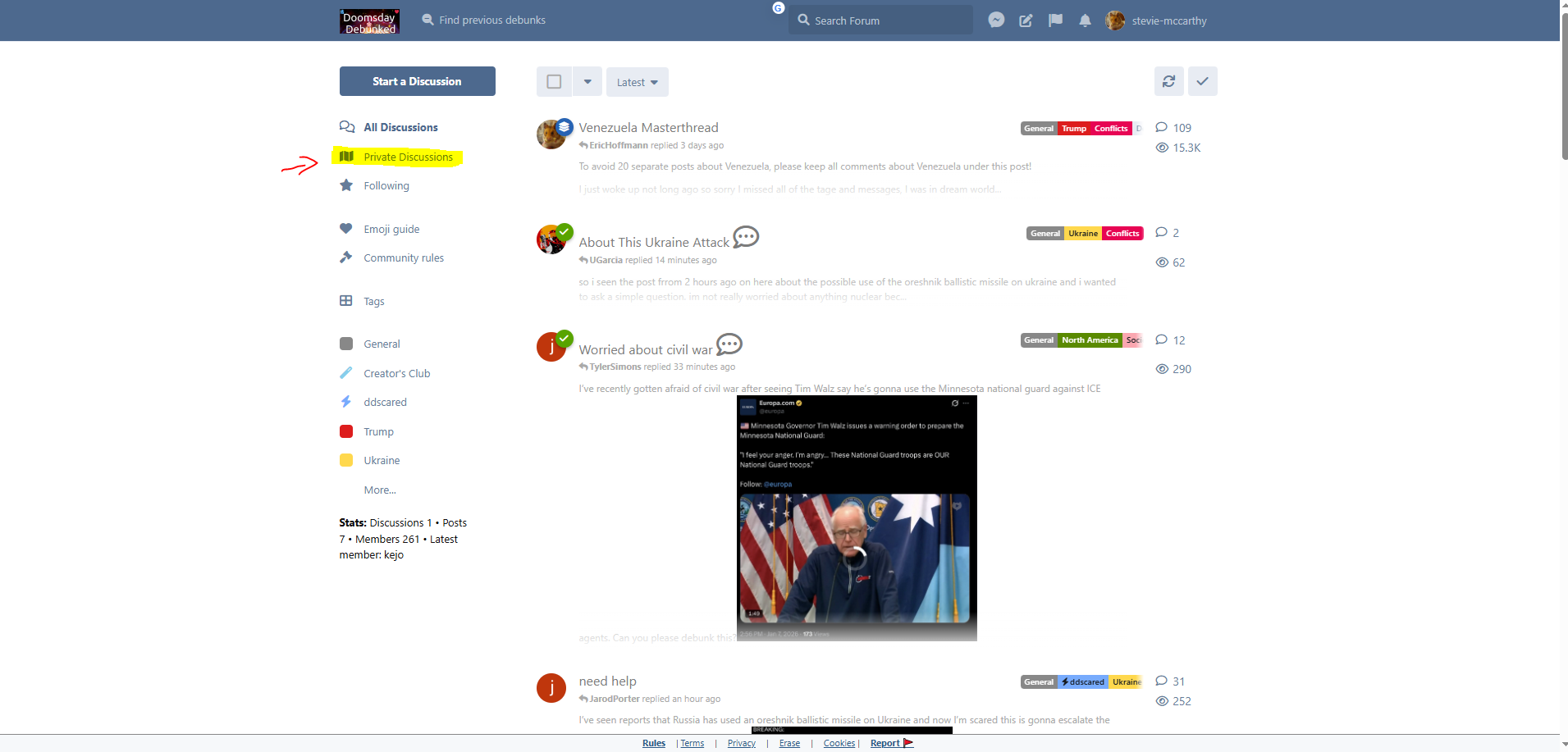
I’ll highlight in yellow & also draw in some arrows so you know where to click.
First - click on ‘Private Discussions’
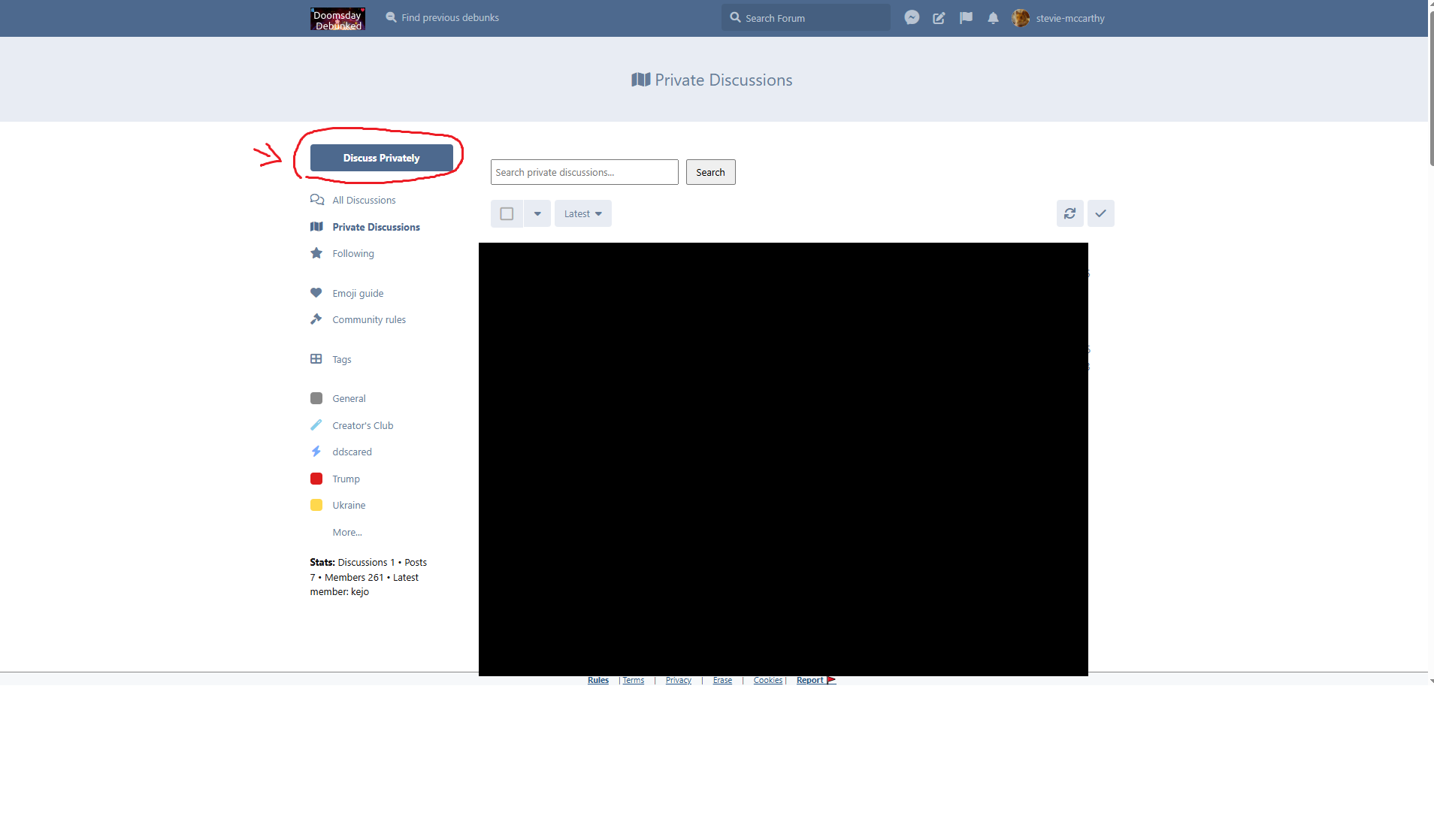
Then, click on ‘Discuss Privately’
This box will appear:
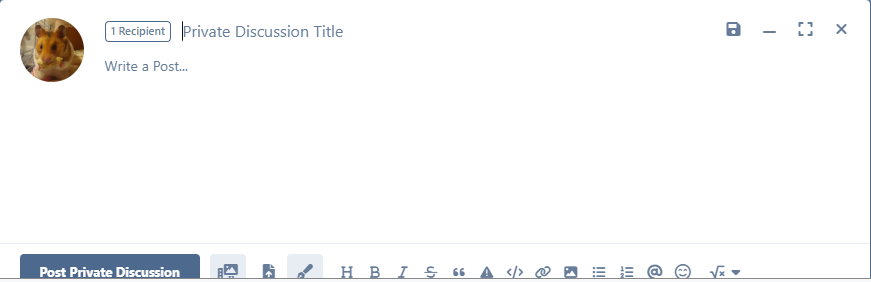
Click on ‘1 Recipent’
This will open a new window.
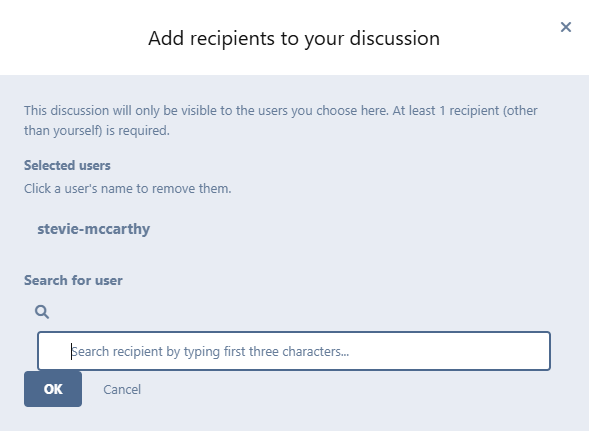
Begin typing in the name of who you want to add to the discussion. For example, I typed in ‘Robert’. Then, you can see his username and profile picture appears.
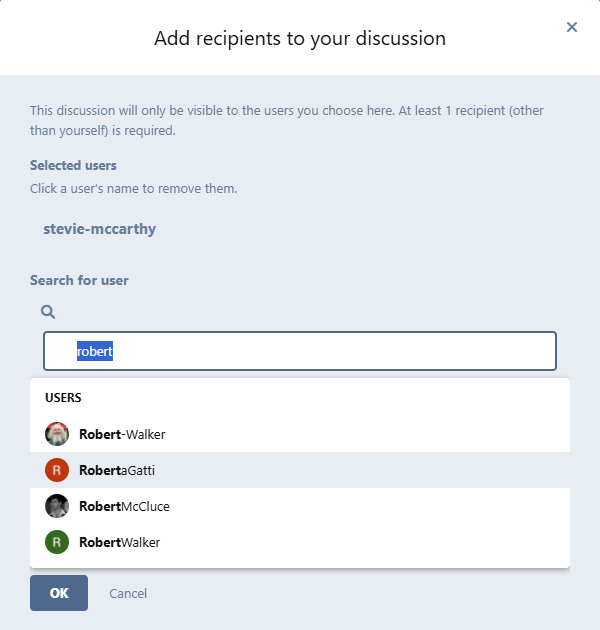
Click on the name to add that person to the discussion.
Once you are done, click ‘OK’.
Now, you can type in your title and your post!
All done! 🤗
Whenever you want to view your private discussions just click on the tab that I shared in the first photo, all of your private discussions will be there.