Please let us know if there is any problem, anything you need help with or anything that needs our attention.
Start a new private discussion and then for the recipients type in “support” and this will go to everyone in the support group, currently me, Stevie-Lee McCarthy and William Else.
In more detail.
Click on Private Discussions in the main menu then on Discuss Privately and add “Support” to the recipients field.
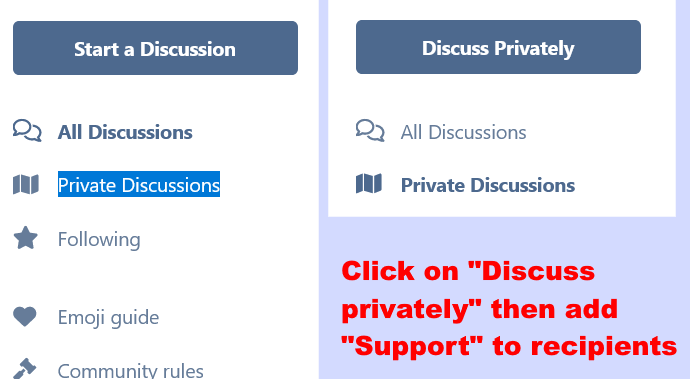
For more detail see these two screenshots
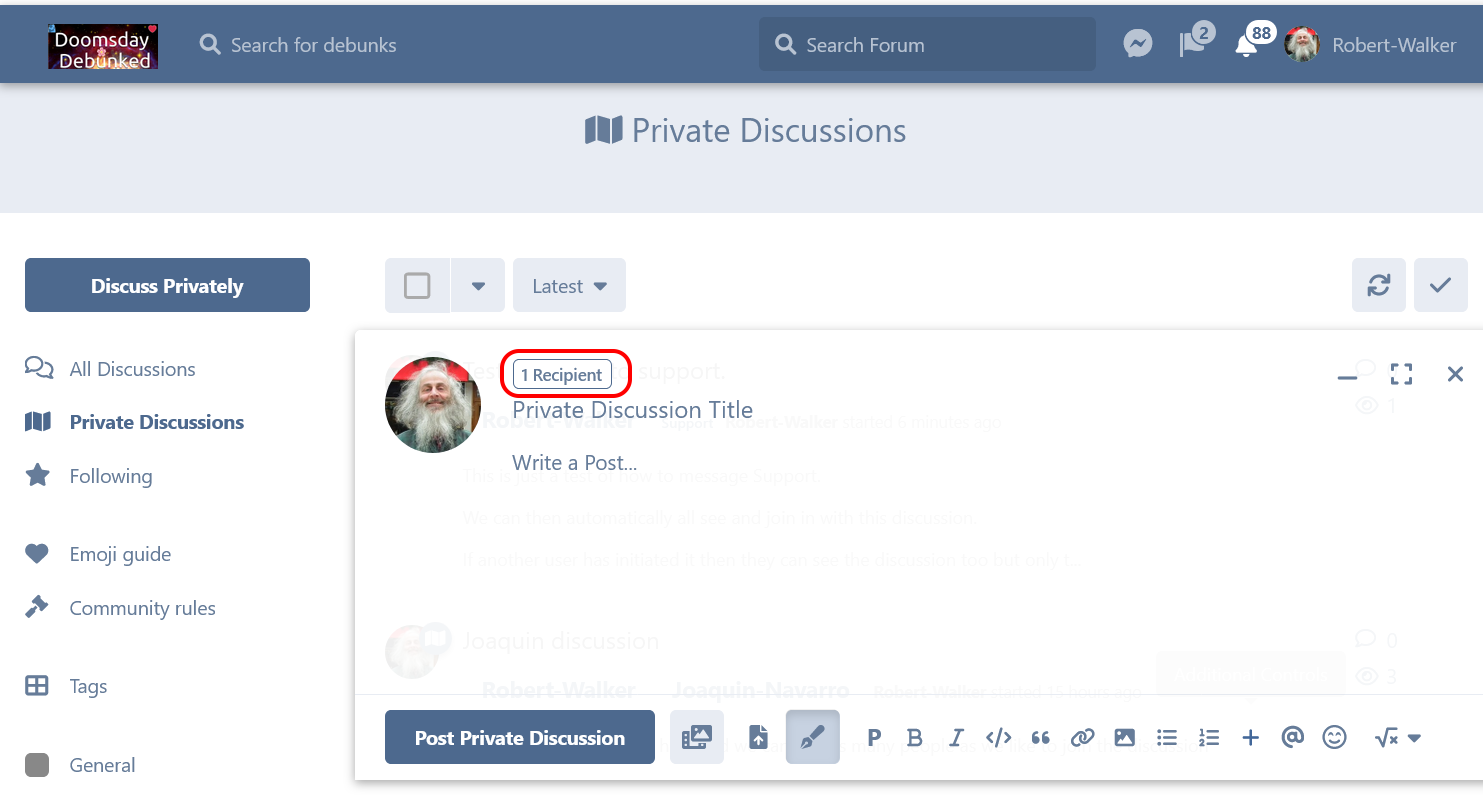
First after clicking on Discuss Privately" you see this. Somewhat counterintutively it says “1 recipient” that is you. It just means you will be able to see what you post but you need to add more recipients to start a private discussion.
So click on the “1 recipient”
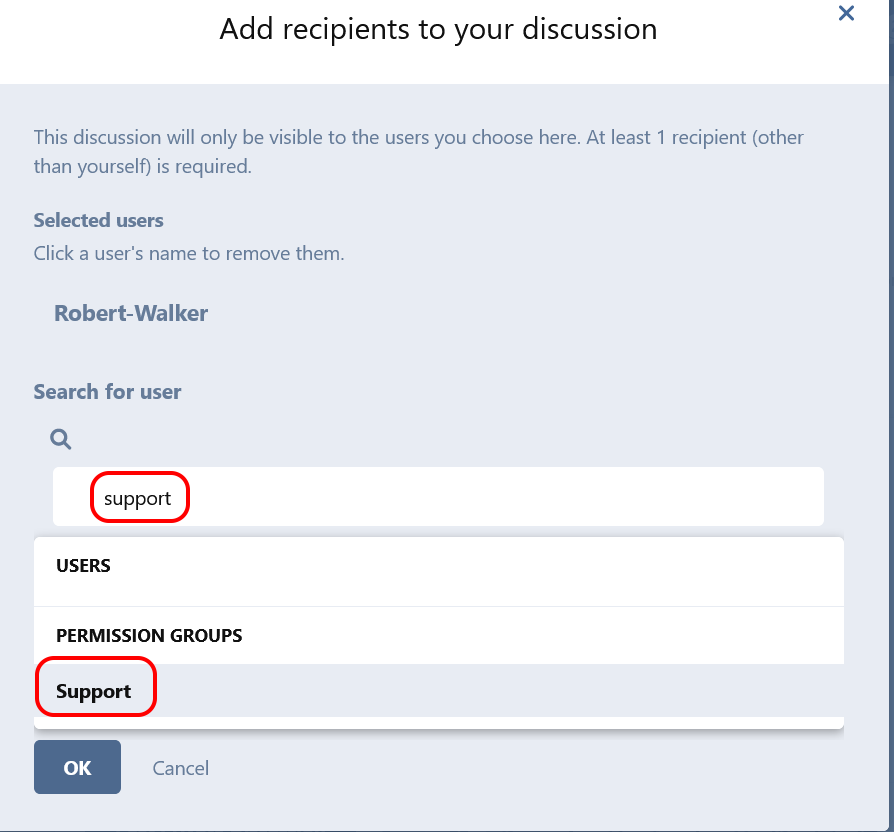
To contact Support, you need to add Support to the recipients.
Just start typing in support into the form that turns up. Then select support. You may need to scroll down to see it.
Then add a header and message as for posting in the general group. However you don’t need to add any tags.
Then hit post and you’ll end up with a private discussion that you can see as well as the entire support team.
You can tell it is private by the distinctive gradient shaded blue header
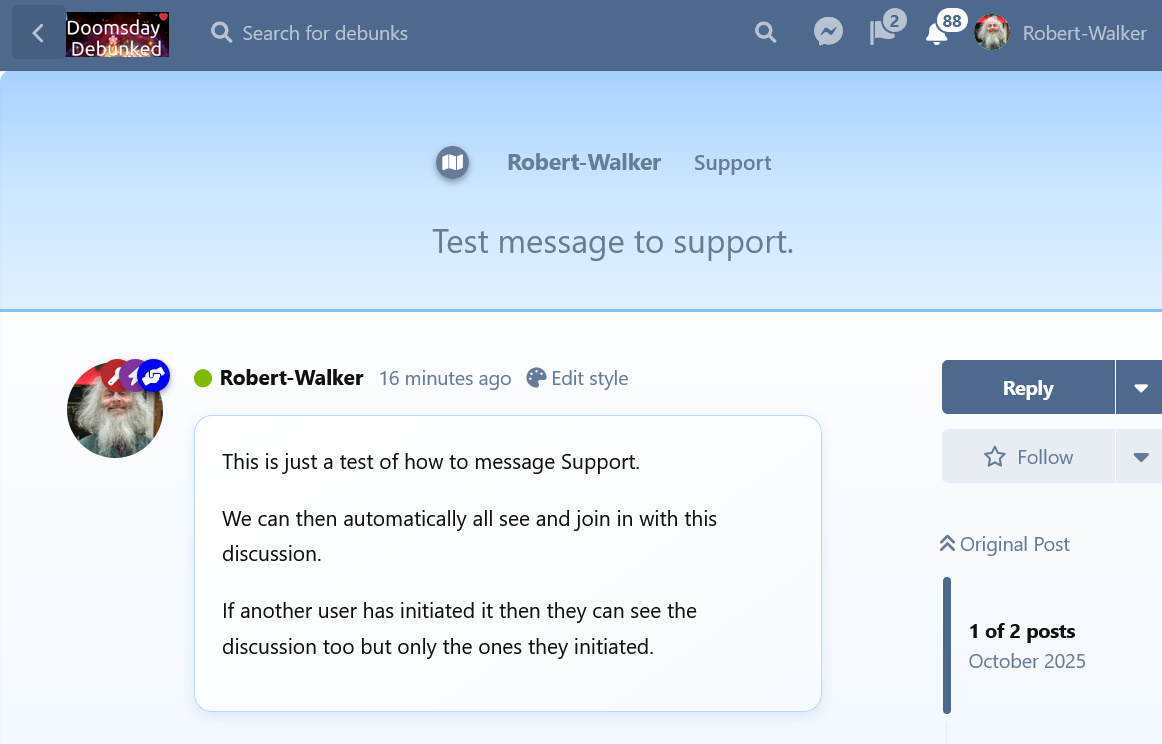
Then we will be able to see your message and respond to you.